Download the Game
🎮 Download Excel FPS Survival Game v1.0 Here:
Depending on your Excel security settings, you may need to enable macros and save a local copy before playing.
What Is Excel FPS Survival?
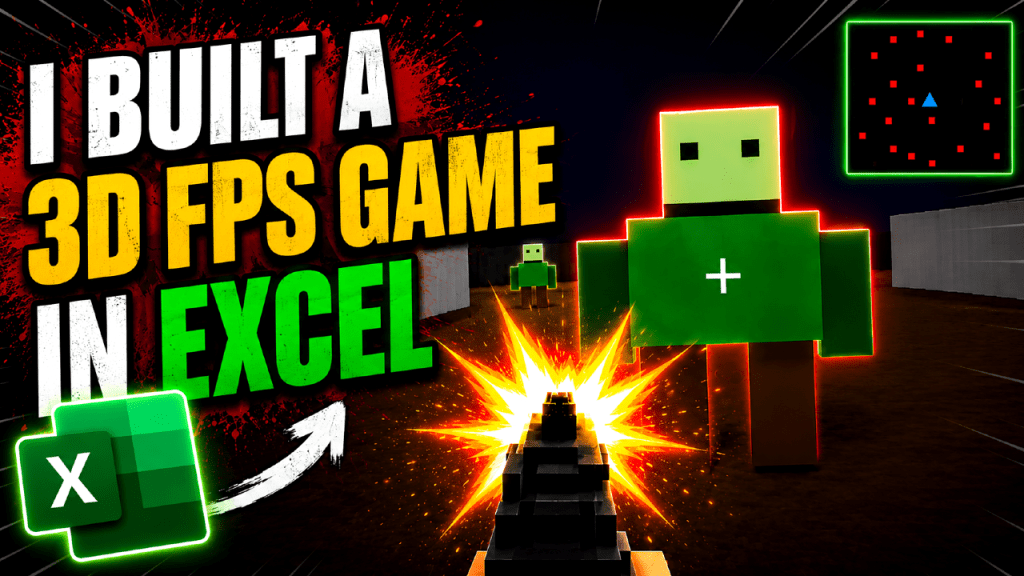
Excel FPS Survival is a wave-based first-person shooter built entirely using Microsoft Excel and VBA.
The objective is simple:
Survive for as long as possible.
As the game progresses, increasingly large waves of enemies spawn into the map and attempt to hunt you down. Use your weapon, movement and positioning to survive for as many waves as possible and set a new high score.
Unlike many of my previous Excel projects, this isn’t just a technical demonstration.
It’s a complete game with progression, enemies, audio, difficulty settings and persistent high scores.
Features
3D First Person Gameplay
The game uses a custom raycasting engine written entirely in VBA.
Walls, floors and ceilings are rendered in real time to create a fully navigable 3D environment inside Excel.
Wave-Based Enemy Survival
Each wave introduces more enemies than the last.
The longer you survive, the more difficult the game becomes.
Easy and Hard Mode
Choose your preferred difficulty before starting.
Easy Mode
- Enemy positions visible on the minimap
Hard Mode
- Enemy positions hidden from the minimap
Mouse Look Controls
The game supports proper FPS-style controls including:
- WASD movement
- Mouse-look aiming
- Shooting
- Collision detection
Sound Effects
The game includes embedded sound effects for:
- Weapon firing
- Taking damage
Fun fact: the sound effects were recorded by me and embedded directly into the workbook.
Persistent High Scores
The game tracks:
- Highest Wave Reached
- Most Enemies Killed
Can you beat my best run?
Everything Is Built Inside Excel
One of the goals of this project was to keep everything native to Microsoft Excel.
The Enemies are built from Excel controls.
The weapon sprite is built from Excel controls.
The muzzle flash is built from Excel controls.
The minimap is drawn using Excel controls.
Even the audio files are embedded into the workbook.
There are no external game engines involved.
Everything runs through Excel and VBA.
Development Journey
This project started with a simple experiment.
Could Excel render a first-person perspective?
The first versions consisted of little more than a moving square and a minimap.
From there I gradually built:
- Player movement
- Collision detection
- Mouse-look controls
- Raycasting
- 3D rendering
- Enemy AI
- Combat systems
- Audio systems
- Difficulty settings
- High score tracking
What started as a technical challenge slowly evolved into a complete survival game.
Watch the Full Development Log
I have also created a full development log and gameplay showcase on my YouTube channel Dynamic Pear.
The video covers:
- How the game was built
- The underlying VBA systems
- Development milestones
- A complete gameplay session
- Accessing the source code
📺 Watch Here:
Source Code Included
As with most projects on this blog, the workbook is intentionally left open for learning purposes.
You are free to:
- Explore the VBA code
- Modify the game
- Learn from the systems
- Build your own versions
My goal has always been to demonstrate what Excel is capable of when pushed beyond its traditional use cases.
What Comes Next?
With Excel FPS Version 1.0 now complete, it’s time for the next challenge.
I am going to attempt one of the most iconic milestones in gaming history:
Can Doom be recreated inside Microsoft Excel?
If you’ve followed my projects before, you already know that saying something is impossible only makes me want to try it.
Stay tuned.

